

AI Tools & Freelance Productivity
Automation Workflows for Freelancers: AI Tools That Save 10+ Hours/Week
Stop trading every waking hour for dollars — let AI handle the busywork so you can focus on the work that actually pays.
If you’re a freelancer, you already know the dirty secret nobody warns you about: you don’t just do the work — you manage clients, write proposals, send invoices, follow up on payments, schedule meetings, answer emails, and somehow still find time to actually deliver results. The average freelancer spends nearly 40% of their working hours on administrative tasks that generate zero direct income. That’s not a productivity problem. That’s a systems problem — and automation workflows for freelancers are the solution.
In 2026, AI tools have reached a point where setting up smart automation is no longer reserved for tech-savvy developers or large agencies. Whether you’re a copywriter, designer, developer, consultant, or virtual assistant, you can now automate the repetitive, time-draining parts of your freelance business in a single afternoon — and reclaim 10, 15, even 20 hours every single week.
In this guide, we’re breaking down the most powerful AI-driven automation workflows for freelancers that are working right now. Each one is practical, affordable, and built for real freelancers — not enterprise teams with unlimited budgets. Let’s get into it.
1. Automate Client Onboarding With AI Forms and Smart Contracts
Every new client relationship starts with a flurry of back-and-forth: intake forms, contract signing, payment details, project briefs, and access credentials. Done manually, this process eats up 2–4 hours per client — and if you’re landing 3–5 new clients a month, that’s a serious time drain. Tools like HoneyBook, Dubsado, and Notion AI allow you to build a fully automated onboarding pipeline. A new client fills out one smart form, and the system automatically sends a branded welcome email, generates a customized contract, requests a deposit via Stripe, and books an onboarding call — all without you lifting a finger.
How to monetize it: By reducing onboarding time from 3 hours to under 20 minutes per client, you free up time to take on 30–50% more clients annually. For a freelancer billing $75/hour, that’s potentially $5,000–$15,000 in additional revenue per year — from one automated workflow.
Note: income examples are illustrative and depend on effort, niche, and market conditions. Results are not typical or guaranteed.
Pro Tip: Use Dubsado’s workflow builder to trigger a personalized video welcome message (recorded once in Loom) that automatically sends to every new client after contract signing — it creates a premium experience with zero extra effort every time.
2. Use AI Writing Tools to Produce Deliverables 3x Faster
Whether you’re a content writer, email marketer, or social media manager, AI writing assistants have completely redefined what’s possible in a single workday. Tools like Claude, ChatGPT, and Jasper don’t just generate text — when combined with well-built prompt templates, they become powerful production engines. A freelance copywriter can use a saved prompt workflow to generate a first draft of a 1,500-word blog post in under 10 minutes, then spend 20–30 minutes editing and adding their expertise. That’s a process that used to take 3–5 hours compressed into under an hour.
Earning potential: If you currently produce 4 pieces of content per week at $200 each, optimizing with AI writing workflows could realistically let you produce 10–12 pieces at the same quality — pushing your weekly revenue from $800 to $2,000–$2,400 without working more hours.
Pro Tip: Build a “Content Brief Draft SEO Check” prompt chain in ChatGPT using custom instructions. Save it as a template you paste into every project — this single workflow can save 90 minutes per article, every single time.
3. Build a Zapier + AI Pipeline to Eliminate Repetitive Admin Tasks
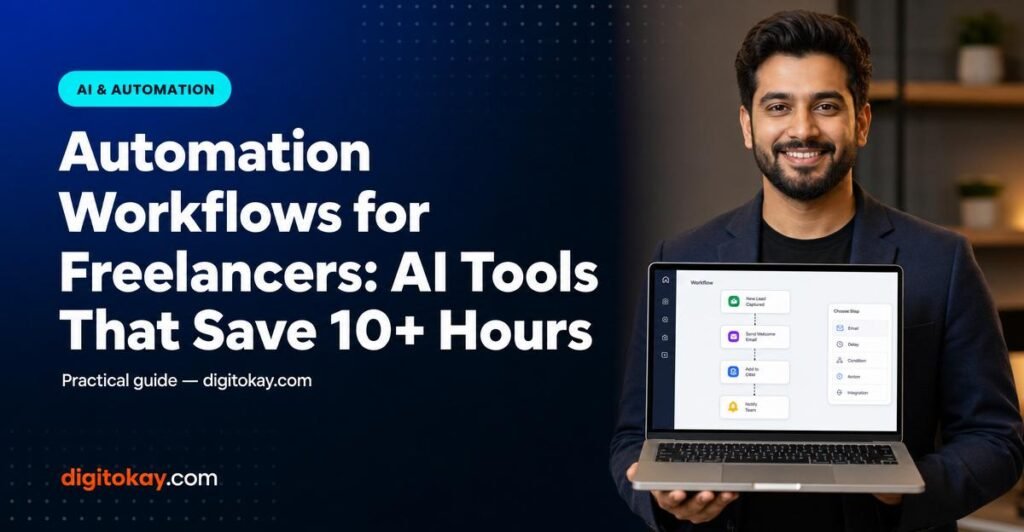
Zapier (and its open-source alternative Make, formerly Integromat) are the backbone of serious freelance automation workflows. These tools connect your apps — Gmail, Slack, Notion, Airtable, Trello, Google Sheets, and hundreds more — and trigger automatic actions based on events. For example: when a lead fills out your contact form, Zapier can automatically add them to your CRM, send a personalized follow-up email, create a project folder in Google Drive, and notify you in Slack — all in under 60 seconds. In 2026, Zapier’s AI-powered “Zap builder” can even suggest and build entire automation workflows for freelancers based on a plain-English description of what you need.
How to monetize it: Freelancers who master Zapier often add automation consulting as a service — charging $500–$2,000 per client to build custom workflows for small businesses. It’s one of the fastest-growing freelance niches in 2026, with demand far outpacing supply.
Pro Tip: Start with Zapier’s free plan and identify your single most repetitive daily task — the one you do the same way every time. Build one Zap to eliminate it. Once you feel the time savings, you’ll be hooked and ready to automate everything else.
4. Automate Invoicing, Follow-Ups, and Payment Collection
Late payments are one of the most stress-inducing parts of freelance life — and chasing invoices manually wastes enormous amounts of emotional energy and time. AI-powered invoicing tools like FreshBooks, Wave, and QuickBooks Online now include smart automation features that generate invoices automatically at project milestones, send polite follow-up reminders on a schedule, apply late fees automatically, and even reconcile payments without any manual input. Combine these with Stripe’s automated payment links and you can go from “project complete” to “payment received” with almost zero administrative involvement.
Earning potential: Freelancers who automate invoicing report getting paid 40–60% faster on average — which directly improves cash flow. For someone with $5,000 in outstanding invoices at any given time, faster collection means real money available weeks sooner, with zero additional work.
Pro Tip: Set up a 3-touch automated follow-up sequence for unpaid invoices: a friendly reminder at day 7, a firmer nudge at day 14, and a final notice at day 21. FreshBooks and HoneyBook both support this natively — set it once and never manually chase a payment again.
5. Schedule, Repurpose, and Publish Content Automatically with AI
If you use content marketing to attract freelance clients — blogging, LinkedIn posts, Twitter/X threads, or short-form video — you know how time-consuming the creation-to-publishing pipeline can be. AI-powered tools like Buffer AI, Repurpose.io, and Metricool now allow you to create one piece of cornerstone content and automatically repurpose it into multiple formats, schedule it across every platform, and even generate platform-optimized captions using AI. Record one 10-minute YouTube video, and the tool can automatically generate a blog post, a LinkedIn article, five Twitter threads, and three Instagram captions — all scheduled and published without you touching it again.
How to monetize it: Consistent content presence is directly tied to inbound client leads. Freelancers with active, automated content pipelines report 2–4x more inbound inquiries compared to those who post sporadically. More leads = more ability to raise your rates and be selective about who you work with.
Pro Tip: Use Repurpose.io to connect your podcast or YouTube channel directly to LinkedIn and Twitter/X. Every new episode automatically generates a short-form clip and text post — your content marketing runs on autopilot while you focus on client work.
6. Use AI Meeting Assistants to Reclaim Hours Spent in Calls
Client calls are necessary, but the before-and-after work is a massive time sink: scheduling back-and-forth, writing up meeting notes, summarizing action items, and sending recaps. AI meeting assistants like Otter.ai, Fireflies.ai, and Notion AI‘s meeting summary feature now attend your calls automatically, transcribe everything in real time, generate smart summaries with action items, and can even draft follow-up emails based on what was discussed. Scheduling tools like Calendly with AI intake forms eliminate the back-and-forth entirely by letting clients self-book based on your live availability — including automatic time zone conversion and reminder sequences.
Earning potential: If you have 5 client calls per week and spend 45 minutes each on scheduling, notes, and follow-up, you’re losing nearly 4 hours weekly to meeting admin. Automating this workflow completely recovers that time — that’s over 200 hours per year you can redirect to billable work or business growth.
Pro Tip: Connect Fireflies.ai to your Zoom account and link it to Zapier — every call transcript can automatically populate a Notion project page, update your CRM, and trigger a follow-up email draft in Gmail. Your entire post-call workflow takes 5 minutes instead of 45.
The freelancers who thrive in 2026 and beyond won’t be the ones who work the hardest — they’ll be the ones who build the smartest systems. Automation workflows for freelancers aren’t a luxury or a future trend; they’re a competitive necessity that separates six-figure freelancers from those stuck on the hourly treadmill. Start with one workflow this week, measure the time you save, and keep building. Every hour you reclaim from admin is an hour you can reinvest in higher-paying work, more clients, or simply living your life.
Ready to take the next step?
Join thousands of smart earners who already have this guide.
Instant digital download · 30-day money-back guarantee
Recommended Read
Likeable Social Media — Dave Kerpen
The book that goes deeper on what you just read. A must-have for anyone serious about building income online.
Want to go deeper on this? Check out our dedicated guide:
Frequently Asked Questions
Do I need coding skills for automation?
No. Most automation tools are no-code and drag-and-drop. The guide shows how to save 10+ hours with practical workflows.
Can automation help me earn more as a freelancer?
Yes — automation lets you deliver faster and take on more clients without scaling your hours.